
Creating and Cloning Text Message Templates
Follow the written instructions below or watch this video to learn how to make your text follow ups more efficient https://cloud.pingdex.app/T7fH5kyD
You can create follow-up text templates in the settings of your Pingdex Contact List.
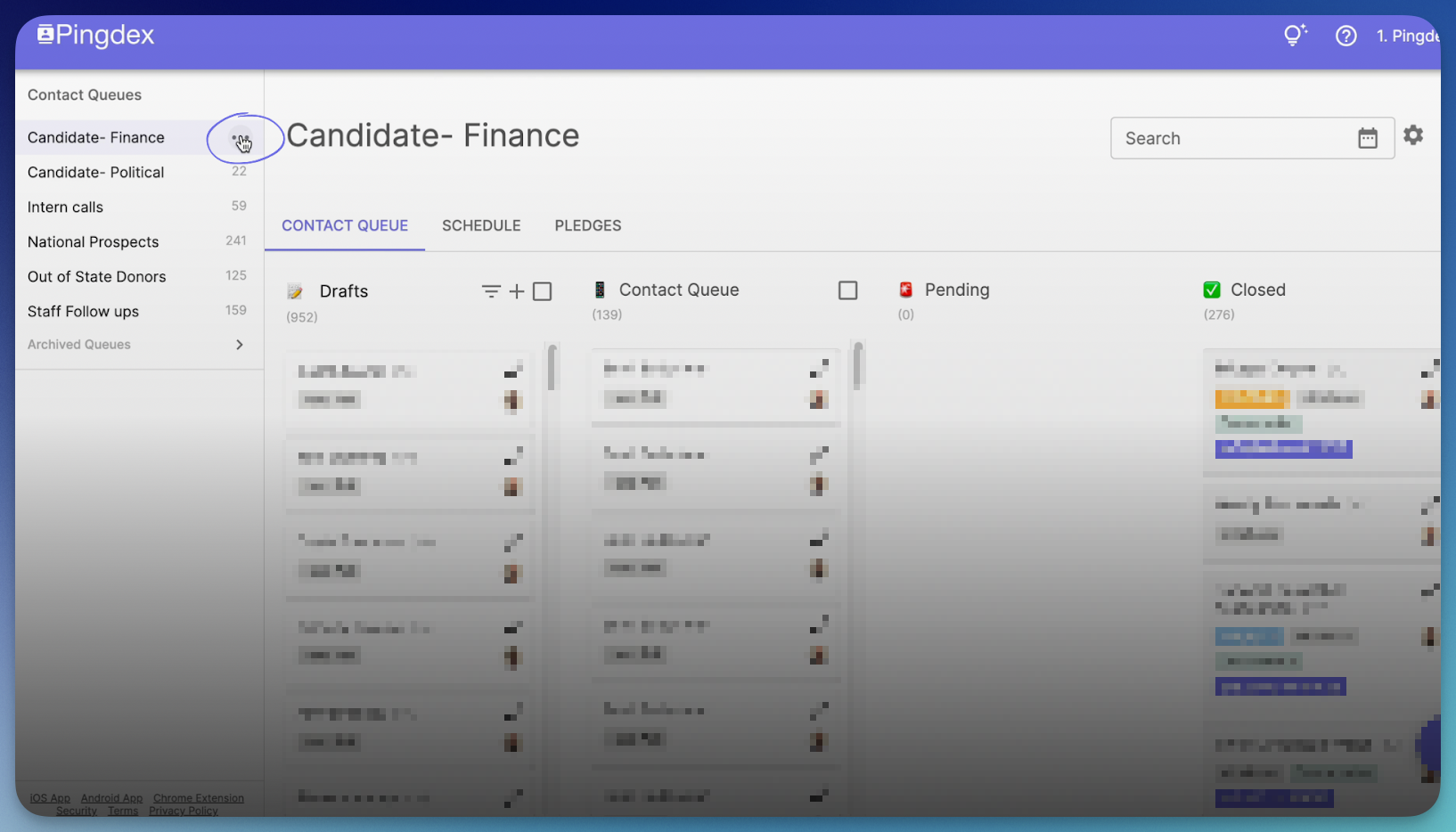
- Hover your mouse over the Contact List you want to create a template for. Three dots should appear to give you more options– click on them. You must have "Administrator" permissions to see these options. If you do not see them, please ask another Contact List Administrator in your organization for access.
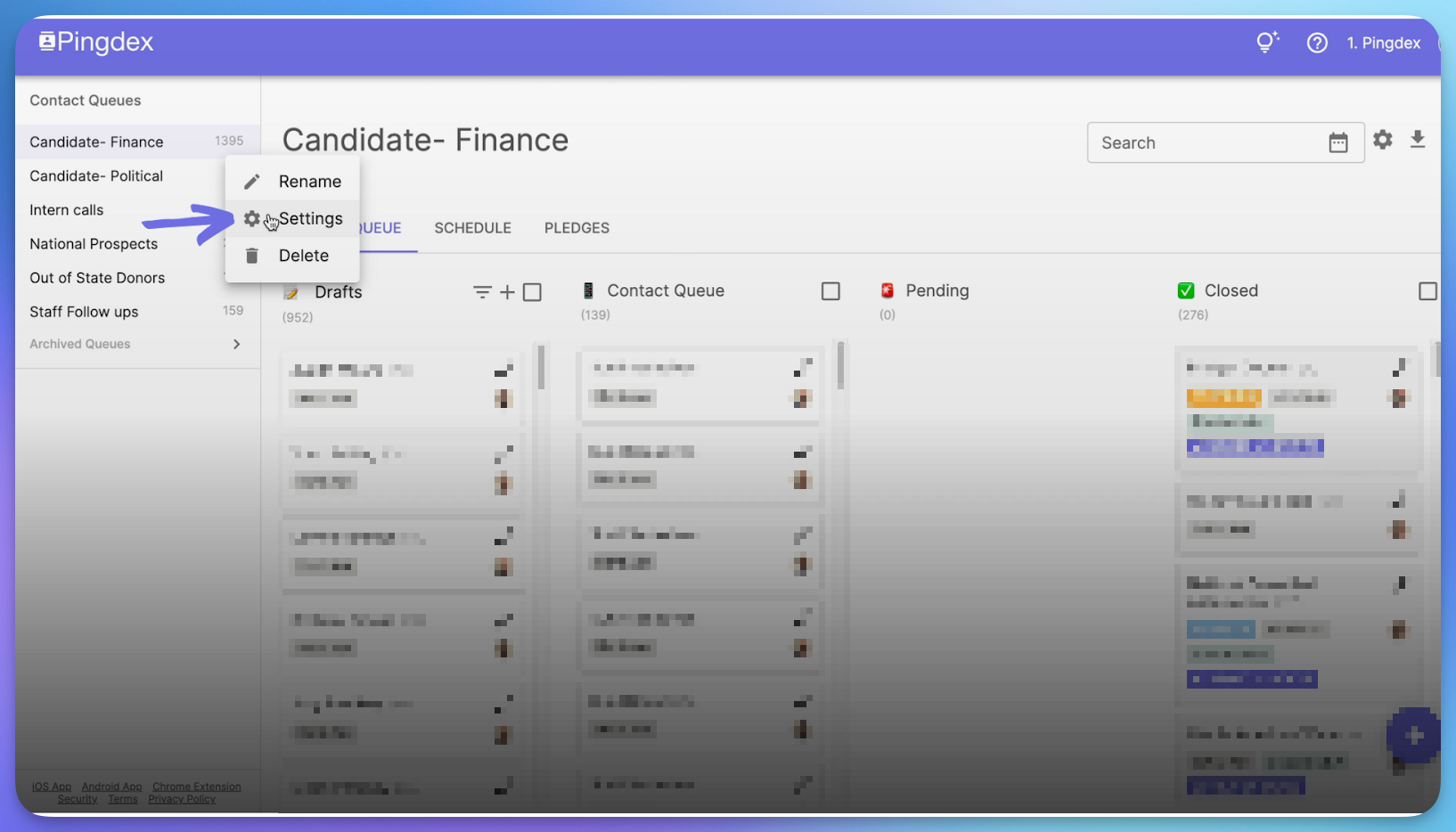
- You will have multiple options to choose from, choose settings.
-
Scroll down to “Follow Up Text Message Templates”.
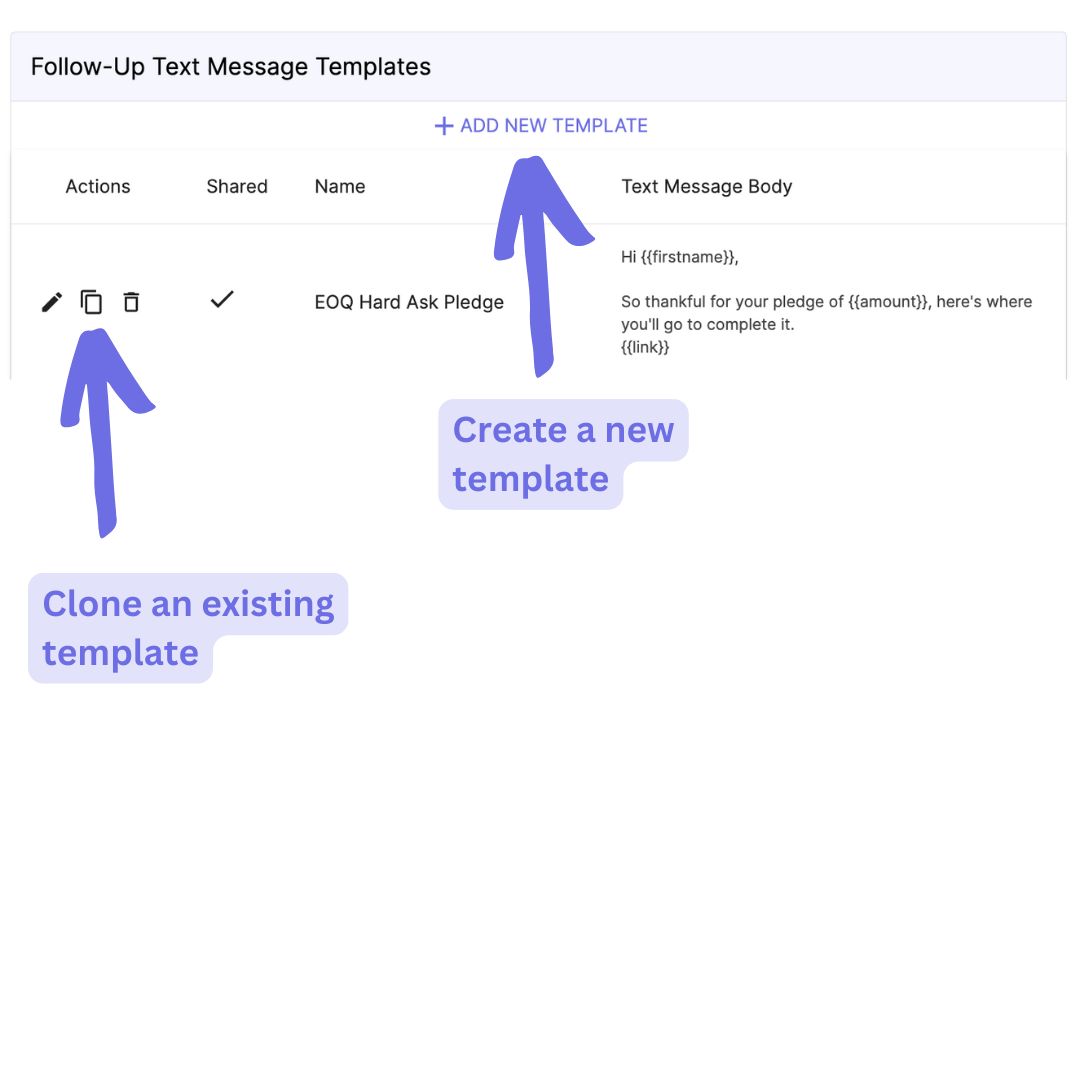
- Above existing templates will be options to add new and clone existing templates
- Fill in the required information, Name and Body, then click save.
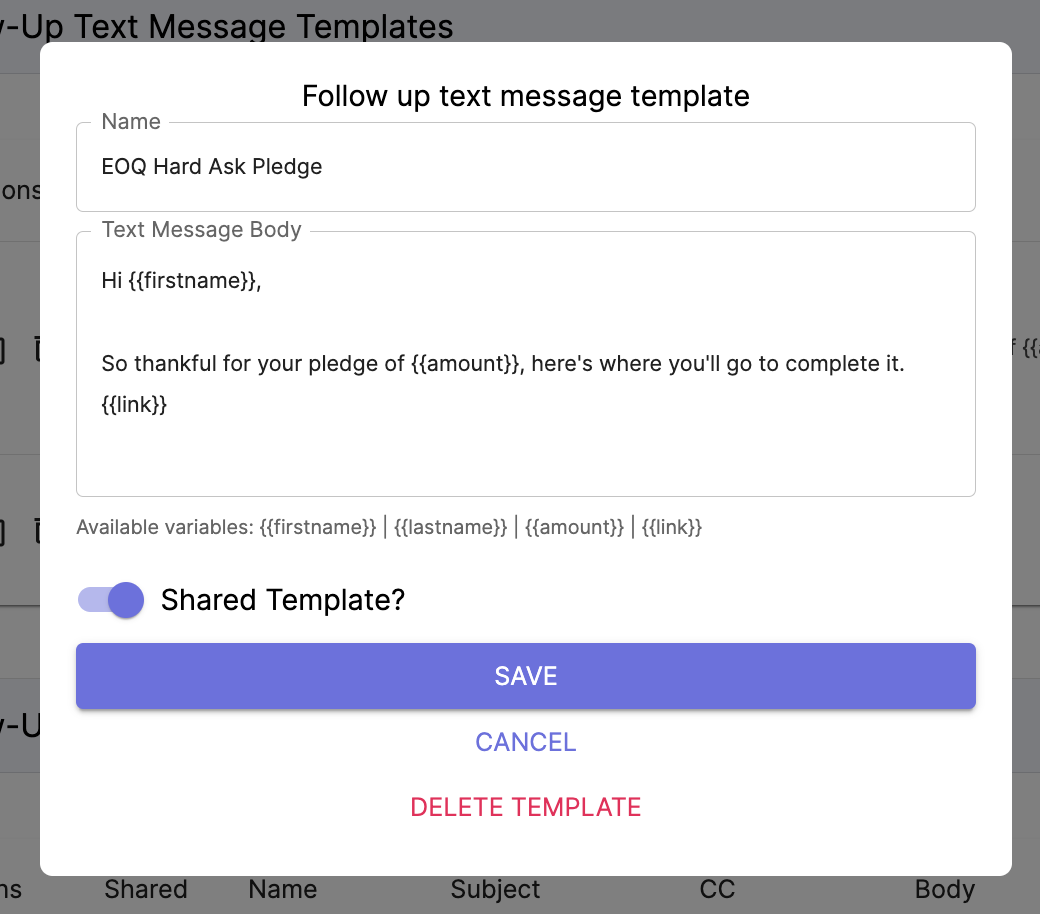
- By using the shortcuts {{firstname}}, {{lastname}}, {{amount}}, and {{link}}, you will be able to customize templates based on who you are sending it to.
- By toggling on “Shared template”, you will make this text template available to all Contact Lists and all other members of your organization on Pingdex.
- Your new template should be available in your text template list and be available to use.