
Enabling Conference Calling and Pre-Recorded Voicemail Drops
Follow the written instructions below or watch this video to learn how to enable conference calling and pre-recorded voicemail drops: https://cloud.pingdex.app/6NW1XX3n
-
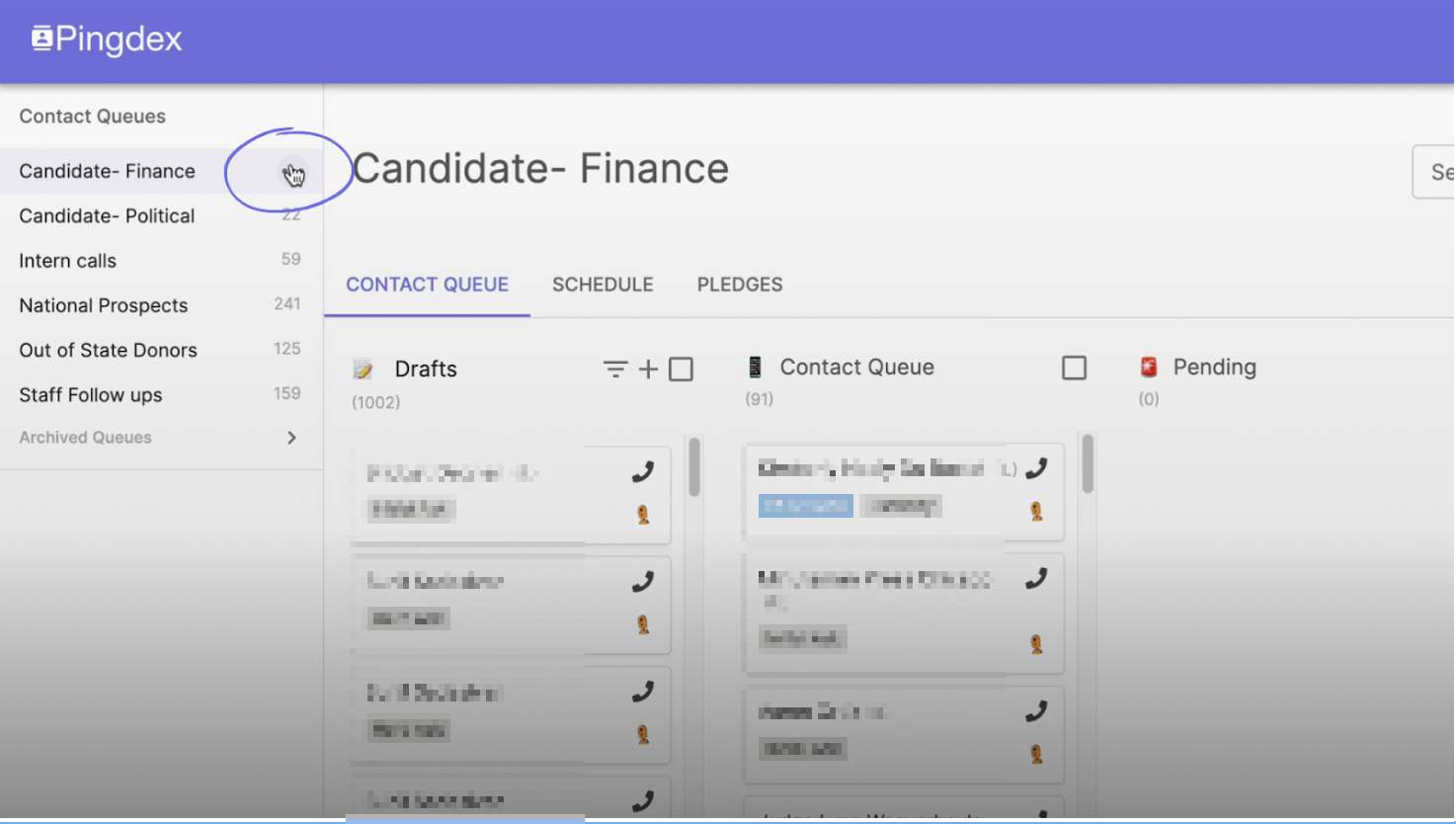
Hover your mouse over the Contact List you want to enable conference calling for. Three dots should appear to give you more options– click on them.
If you do not see the three dots, you are not an administrator of the Contact List and will need to request the "Administrator" permission from whoever on your team is an "Administrator."
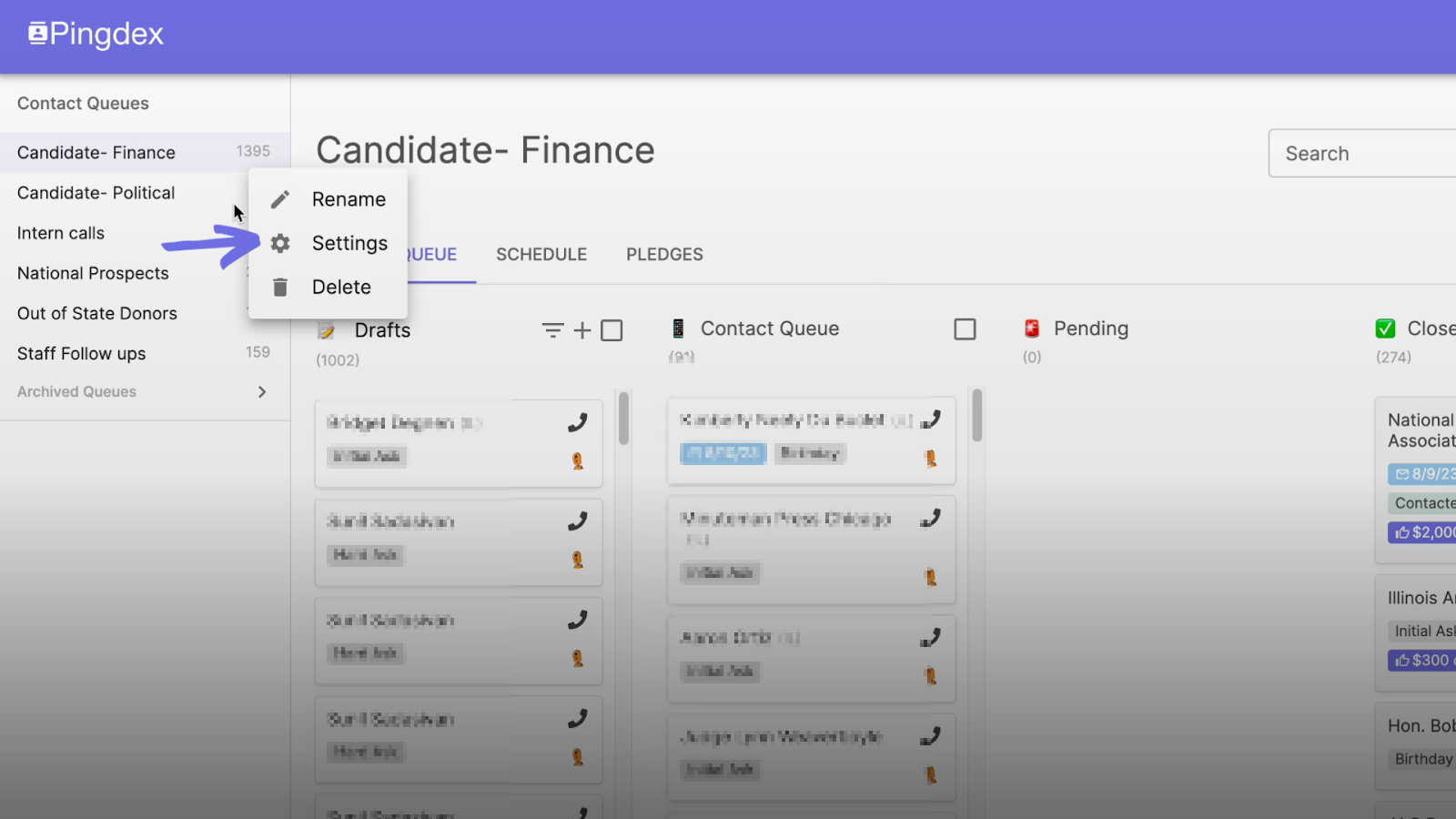
- You will have multiple options to choose from; choose “settings”.
- Scroll down to “Enable conference calling and prerecorded voicemails”. Make sure this button is clicked.

- You should now be able to use the conference calling feature on your mobile device to listen in to calls as well as drop prerecorded voicemails.
Please Note: You will need to go into the settings of each individual Contact List you want to enable conference calls and prerecorded voicemails in and repeat the above steps.