Installing and using the Pingdex NGP Chrome Extension
The Pingdex chrome extension makes it easier for you to create call requests to be added to your Pingdex Contact List with the touch of a button.
Please note, this works only if you have the Pingdex NGP integration. Not sure if you have the NGP integration? Reach out to us.
Step 1. Installing the Chrome Extension
You can download the chrome extension here from the Chrome Web Store. This can only be done on the Chrome browser.
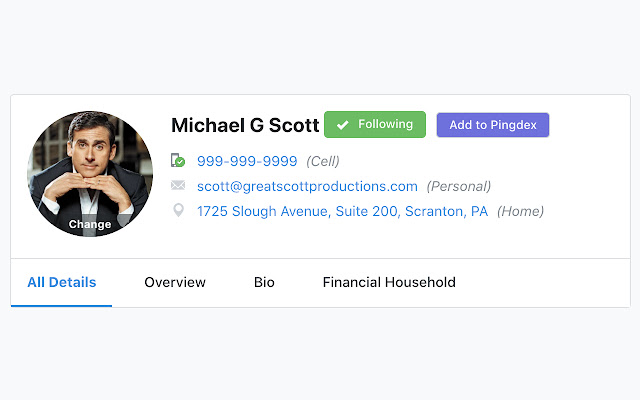
Step 2. Open an NGP Profile & Click Add to Pingdex
Once installed you should see an Add to Pingdex button next to any NGP profile. When logged in to Pingdex, click this button to quickly add a new contact request.
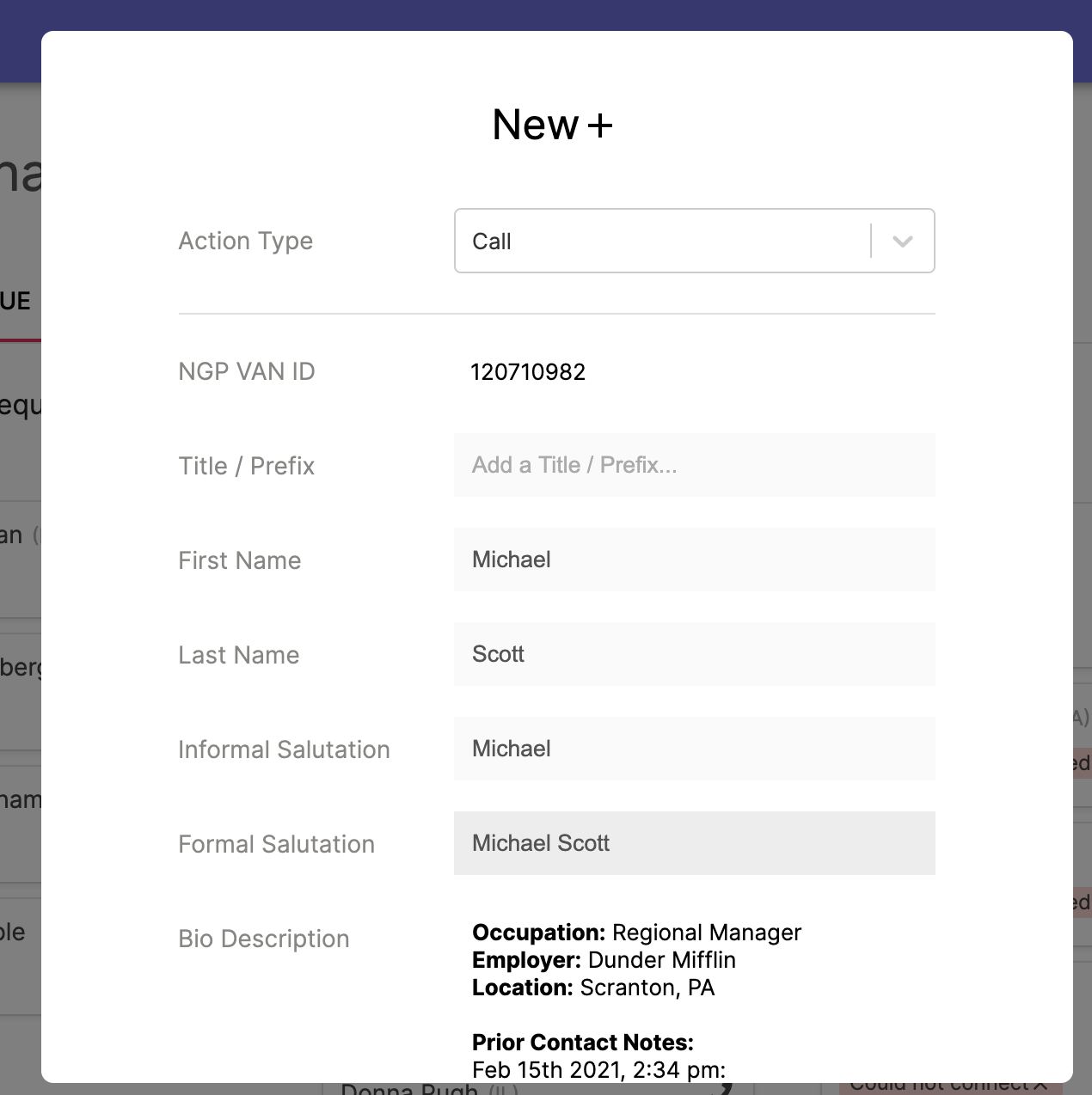
When you click Add to Pingdex, the Pingdex dashboard will be opened new tab with the details filled out.