
Setting up the Pingdex Campaign Deputy Integration
Step 1: Open Campaign Deputy Integrations
Go to the Campaign Deputy integrations page:
👉 https://us.campaigndeputy.app/Settings/Integrations
Step 2: Click "Create API Key"

Step 3: Click "Confirm" when Authorizing the Application

Step 4. Copy the API Key and send to [email protected]
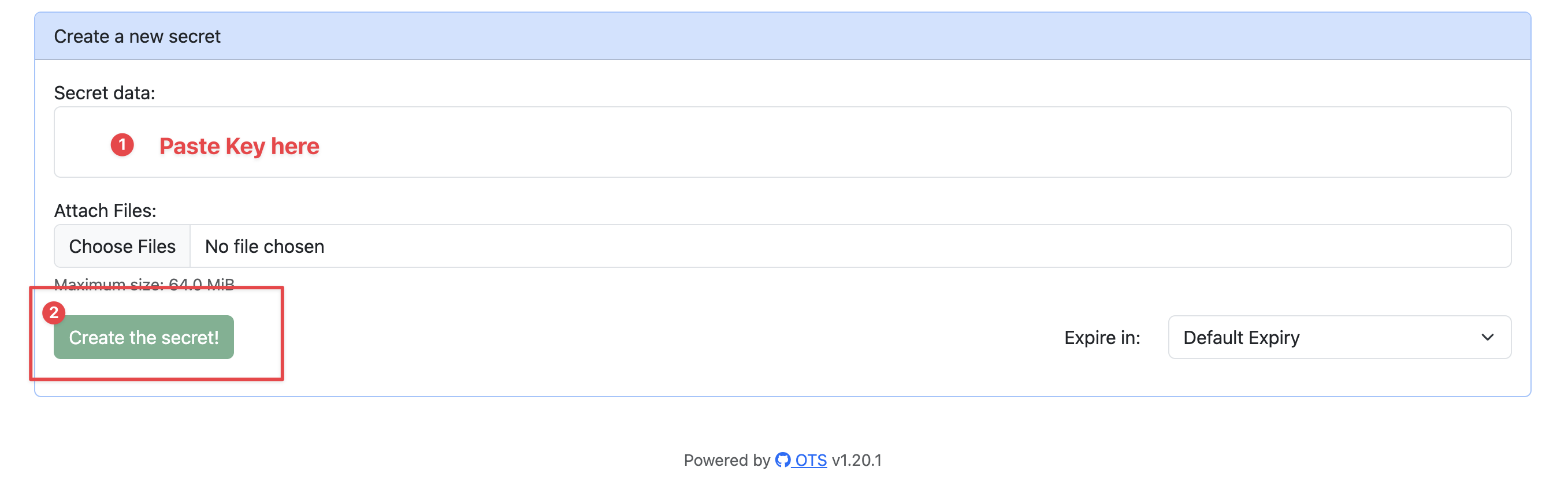
Please use https://ots.actionkit.com to securely send this to us. Your API key is a secret password that gives Pingdex the ability to access your Campaign Deputy data. Follow these steps to obtain
- Go to ots.actionkit.com
-
Paste the API Key in the Secret Data section and click Create the secret!
-
Copy the secret link provided in the next screen
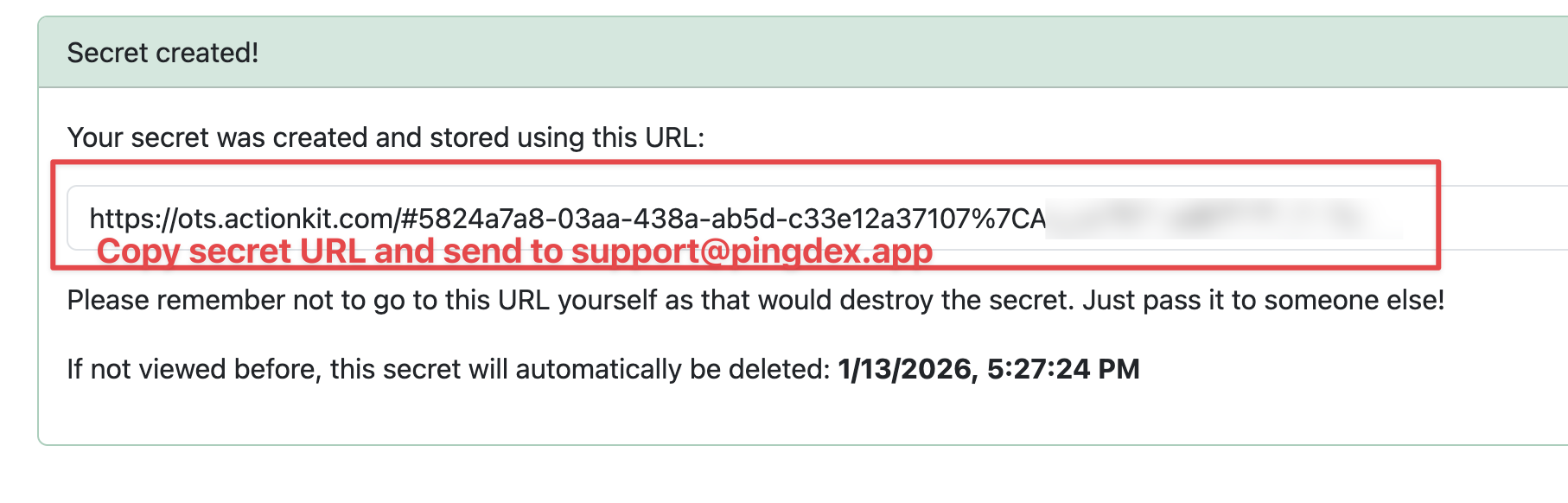
- Send this secret link to [email protected]. We will set this API key up for you as soon as possible. Once set up, you'll be able to import your Campaign Deputy call time lists and sync contact results back to Campaign Deputy.
